In Le Mans Ultimate, grazie agli ultimi aggiornamenti, era già possibile registrare la telemetria della vettura in pista. Finora però non era possibile leggere questi preziosi dati. Da oggi le cose sono cambiate, grazie ad un ingegnoso studente di Taiwan, che ha rilasciato un programma in grado di leggere perfettamente i file di telemetria salvati, mostrando il tutto anche in modo semplice e moderno.
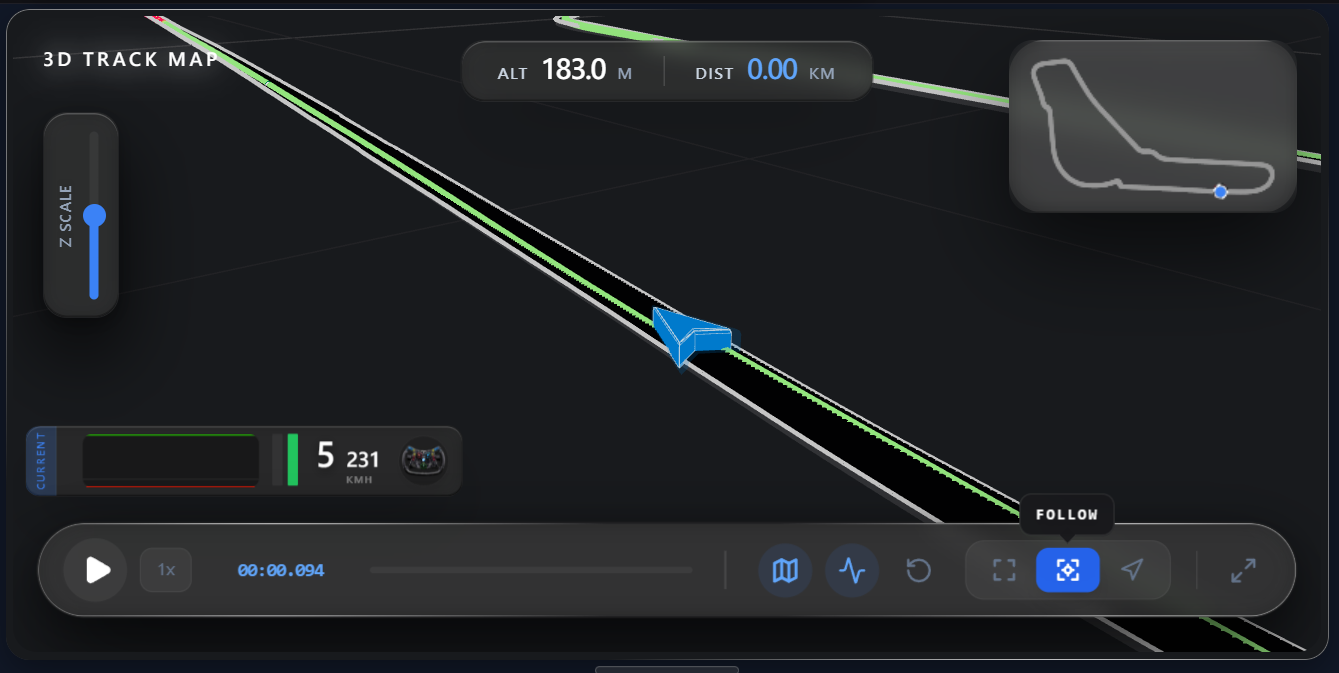
LMU Telemetry Lab, questo il nome del software, non solo analizza i dati con i consueti grafici dei tipici programmi di telemetria, ma include persino il confronto diretto dei giri ed una spettacolare mappa della pista in 2D/3D molto dettagliata!
QuoteThe Story Behind the Project
It all started when I was experimenting with Google Antigravity and looking for a way to put those Pro tokens to good use. I’ve always been a fan of the MyLMU website (definitely check them out!), but I found the file size limits on their telemetry feature a bit restrictive. Since I love deep-diving into data, I decided to see if I could build my own tool.
I’ll admit, I underestimated the challenge! I thought it would be as simple as extracting data and plotting it, but the raw data structures were far more complex than expected. After spending a lot of time figuring out how to organize the data for visualization, the project started to snowball. I kept thinking, "What if I added this feature?" or "How about that one?"
After three months of development—and countless hours "conversing" with AI agents—I’ve drawn inspiration from professional tools like Coach Dave Delta and MoTeC, while putting a lot of heart into crafting a clean, intuitive UI.Key Features
- Essential Data Charts: Speed, Throttle, and Brake inputs.
- Lap Comparison: Compare different laps to find where you're losing time.
- 2D/3D Track Maps: Visualize your racing lines with precision.
- And more: There are many small details waiting for you to discover!
LMU Telemetry Lab può essere scaricato direttamente da questo link.
Per attivare la registrazione della telemetria in Mans Ultimate:
- impostazioni LMU - ingranaggio
- gameplay in alto
- in fondo all'elenco categoria EXTRA
- spunta "Automatically Record Telemetry"