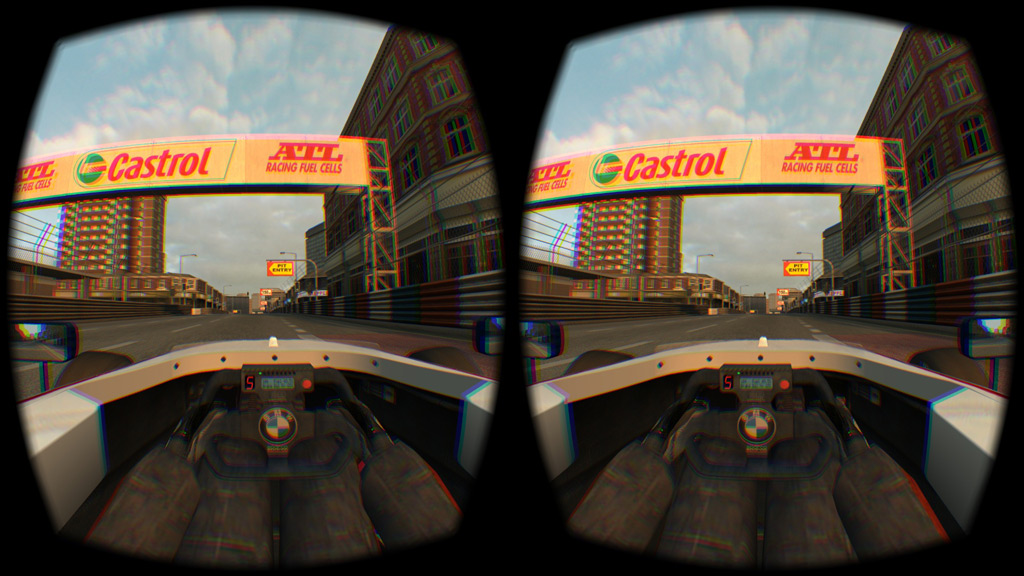
Three ways to get Version 0.6G :
1) AUTO UPDATER - If you already have version 0.5V or later
- Click on "Multiplayer" then "List of Hosts" in LFS and choose a download mirror.
2) MANUAL PATCH (17.8 MB) - If you already have version 0.5Z25 or later :
- Click HERE and save the patch installer.
- You can run the patch installer from its download location or from your LFS folder.
- Alternative for advanced users only : patch in zip format.
3) FULL VERSION (145 MB) - If you are new to LFS or making a fresh installation.
- Click HERE to visit the download page and get the full version installer.
TIPS on using Live for Speed with an Oculus Rift DK2 :
1) How to get LFS running on your Rift DK2 :
- Oculus Configuration Utility - Set your Rift to extended mode
- Windows Display - use extended desktop mode (not duplicated)
- Set the DK2 to rotated mode in Windows (sometimes confusingly called portrait)
- Check that the light on the front of the DK2 is blue (receiving signal)
- Check that the DK2 part of the desktop has the correct orientation
- Start LFS and click 3D on the View Options Screen
- Select Oculus Rift and click OK
- If all is well, LFS offers "Exit LFS to restart using the Rift"
- Click OK to exit then when you restart LFS it should be in the Rift
2) To reset your seating position, there is a text command /rift reset which is assigned by default to the F8 key.
- When a new driver takes over, ask them to look straight ahead then press F8
- Key assignments can be edited in Options - Game - F1 to F8
3) If, for any reason, LFS ends up on the Rift in 2D mode or with a black screen, you can get it back like this :
- Press ALT+F4 to exit LFS
- Delete the file "card_cfg.txt" in your LFS folder, so LFS starts up on the primary device (usually your monitor)
- After starting LFS again you can try to enter 3D mode again
4) Accessing your desktop while LFS is on the Rift.
- You will probably find that your mouse cursor is confined to the Rift's virtual monitor
- Press CTRL+C to free the mouse and now the mouse can go onto the desktop
- When you click on a window on your desktop, LFS will be minimised
- To go back into the Rift, click on Live for Speed in your taskbar
Changes from 0.6F to 0.6G :
Oculus Rift DK2 Support :
The Oculus Rift DK2 must be set to Extended Desktop mode
Start LFS, go into Options - View and click 3D at the top
For Display Type, select Oculus Rift then click OK
If all is well, LFS offers "Exit LFS to restart using the Rift"
Click OK to exit then when you restart LFS it should be in the Rift
Optional new command line options /rift=on and /rift=off
Use e.g. in a shortcut to make sure Rift mode is entered or not
LFS.exe /rift=on - try to go straight into Rift mode
LFS.exe /rift=off - do not go into Rift (ignores previous mode)
Oculus Runtime 0.4.2 (or later) is required
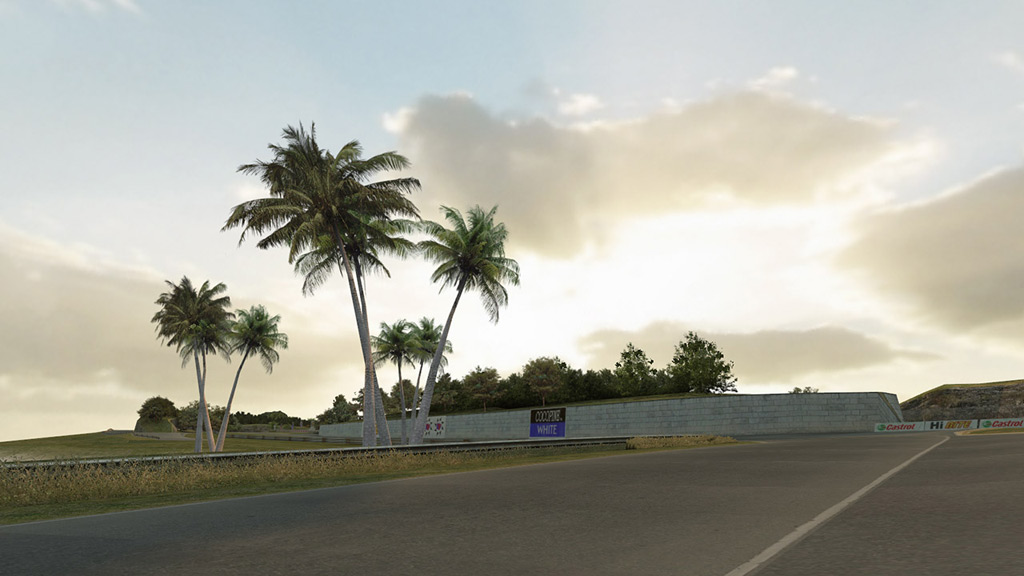
Graphics (visual improvement of transparent objects) :
Improved edges of transparent objects like trees and railings
Re-exported all transparent textures to improve image quality
Texture names ending ATEST / ALPHA / ALP24 all now end _ALP
If you do not install new textures, old ones will be converted
Graphics (other) :
Anisotropic filtering (AF) now default 4x
Mip bias sliders saved differently in cfg.txt
- You must set your mip bias and AF values again
Increased maximum value of multiplayer draw distance
Two new 3D formats : red-cyan anaglyph and cross-eyed view
Textures are automatically resaved (if needed) for faster load
Low res textures now load just as quickly as high res textures
New car shaders give higher frame rate when many cars on screen
FIX : Car lighting momentarily vertical as car entered a shadow
FIX : Graphics options sometimes showed too many FSAA options
Skin downloading when watching a replay :
If a car or helmet skin in a replay is not available at LFS World
when you start the replay (with low or high res skins selected)
but you already have the skin in the other resolution then that
skin in the other resolution will be used instead of a plain car
InSim :
New packet IS_HCP for host to add extra mass or intake restriction
to particular cars (affects all drivers using those cars)
Misc :
Driver's body is now enabled by default
Reduced input lag when vertical sync is enabled
Frame rate limit now disabled if vertical sync is active
Cars now drawn in nearest to furthest order for optimisation
CTRL+S screenshot message now stays for two seconds instead of one
Updated translations - thank you translators